
Think freely. We’ll do the math.
Write calculations like notes. Answers appear beside every line.
- macOS 26+ · Apple Silicon
- Free & open source (MIT)
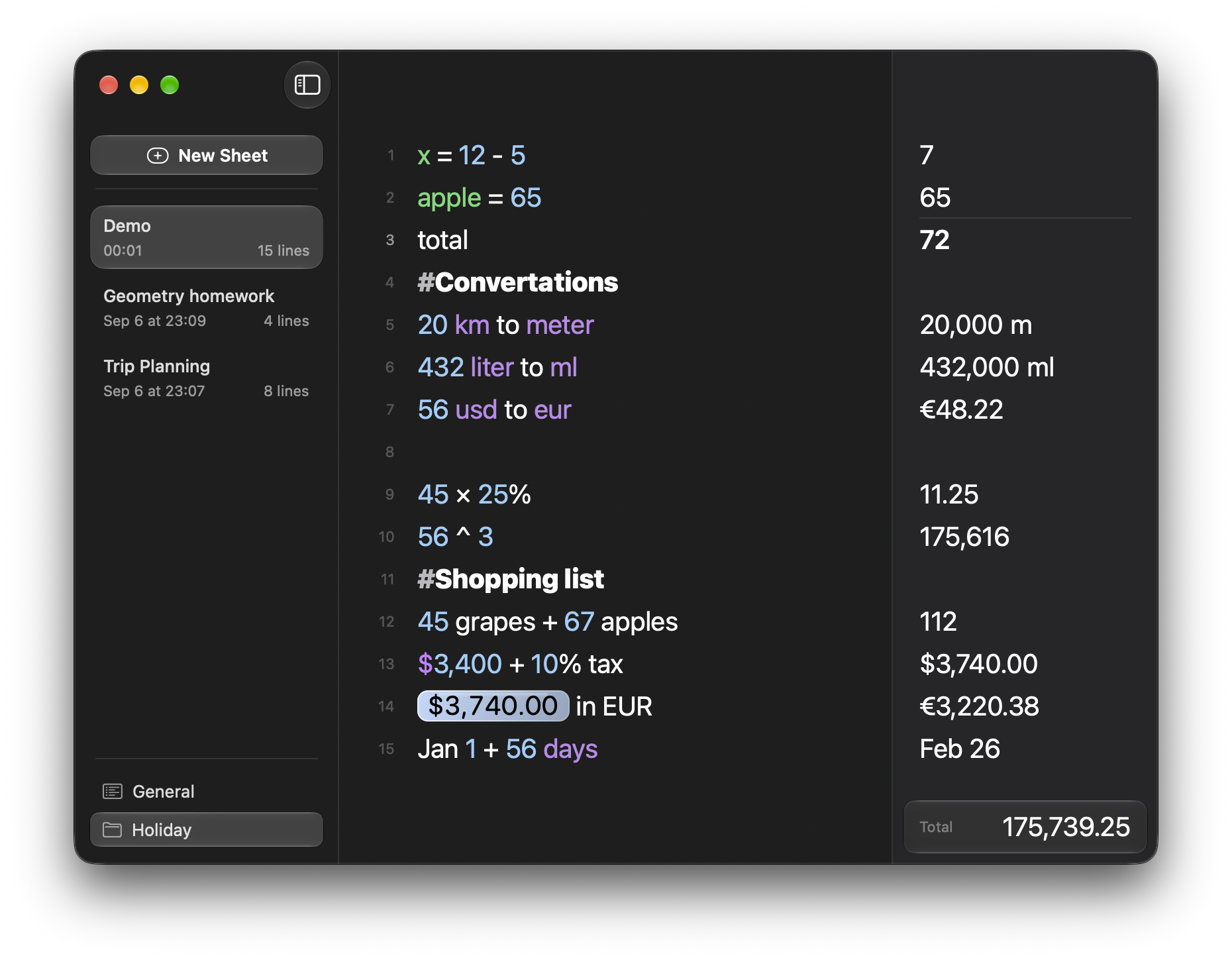
See it in action
Four real sheets, recorded in the app.
Variables & Functions
apple = 65, then sin(radians(30)) — name a value once and reuse it anywhere.
Natural Calculations
“June 12 + 45 days” answers Jul 27 on its own line — dates, headings and totals in plain text.

Units & Currencies
“250 km to m”, “34 C to F”, “$500 to EUR” — the converted value lands beside the line.

Linked Answers
The 43,5 answer becomes a live bubble: reuse it further down and it stays tied to its source.

More than calculations
A sheet is a workspace you keep coming back to, not one-off scratch work.
-
Sheets you can organise
Give each sheet a name, file it under a folder tab, and drag it elsewhere when the work moves —
# Householdis the heading you type to start one. -
Rates and weather
Ask for the current temperature in
weather in Lisbonand only that place name is sent. Currency rates need no name at all: the rate table refreshes in the background, so the last good values keep working offline. Numlex reads no GPS either way. -
Take the work with you
Each sheet leaves as a plain
.nlxfile you can copy, keep and re-import; appearance, decimal places and interface language are native settings.
The full catalog — every function, unit and currency — lives in the documentation, with a feature list in the README.
Latest release
Numlex 4.9.6
Adds saved window placement, a compact workspace, more notebook controls, automatic local-unit conversion, expanded weather queries, and drag-to-export for sheets.
Local-first, by design
Your sheets and every calculation run on your Mac. Three kinds of request can go online: a currency-rate refresh that runs in the background, weather and place lookups for a name you type, and app update checks — which also run automatically.
Stays on your Mac
-
Sheets, folders, variables and settings live in
~/Library/Application Support/Numlex. - Calculations, dates, unit conversions and the bundled catalogs all resolve offline.
- No account, no sync, no GPS — and a sheet leaves
as a plain
.nlxfile you own.
Can go online
- Currency rates — a background refresh from open.er-api.com of a public rate table that carries nothing identifying; conversion lines can refresh it too, and the last good table keeps working offline.
- Weather and places — Open-Meteo resolves the place you type (“weather in Lisbon”, “location of …”). Numlex reads no GPS and asks for no location permission: only that name is sent, and results are cached.
- Update checks — the app reads its update feed on its own schedule or when you ask it to; the announced disk image is downloaded from GitHub only when you accept an update. Plain HTTPS requests with no identifiers.
Nothing else leaves your Mac. Sheet contents are never sent: no analytics, no telemetry, no crash reporting, no sync service.
Every request, in detail — the full allowlist, exactly what each one sends, and the offline fallbacks.
Download & install
Free and open source under the MIT license. Needs macOS 26 or later on Apple Silicon — there is no Intel build.
4.9.6 · October 9, 2026 · release notes
Or with Homebrew
brew install --cask Qulierm/tap/numlexFrom the custom Qulierm/homebrew-tap. The cask tracks stable releases; the newest version can take a little longer to appear there than on the download page above.
Install in three steps
- Open the downloaded disk image — a plain, unstyled disk image with Numlex.app and an Applications shortcut.
- Drag Numlex.app to Applications.
- Launch it from Applications (or Spotlight).
If macOS asks about “Numlex.app”
Numlex is signed ad-hoc and is not notarized, so a first launch may be blocked. Control-click (right-click) Numlex.app → Open → confirm (on newer macOS: Open Anyway in System Settings → Privacy & Security). Whether that works depends on your macOS version — Apple's guide: open an app from an unidentified developer — and please don't disable Gatekeeper system-wide.
Frequently asked questions
- Why is there no Intel build?
- Numlex is a native Apple Silicon app (arm64) for macOS 26 and later. No Intel build exists, so it won't run on Intel Macs.
- Is Numlex free?
- Yes — it's free and open source under the MIT license. No account, no subscription, no in-app purchases. The source is public on GitHub.
- What goes online?
- Three kinds of request can go online: a currency-rate refresh that runs in the background, weather and place lookups for the place you type, and app update checks. No GPS, no account, no sync, no analytics — sheet contents are never sent.
- Can I move my sheets between Macs?
- Yes — export a sheet as a .nlx file and import it on another Mac. App-wide constants and custom units are not embedded in exports, so bring those along separately; see the documentation.